
You sent crypto from your wallet — or someone promised to send you funds — and now you need proof it actually happened. Your wallet app may show a pending spinner, but the authoritative record lives on the public blockchain. A block explorer is the free, open website that lets anyone read that record without trusting an exchange, a friend, or a support chat.
This guide teaches you to look up any transaction, read the fields that matter, and decide whether a transfer is real, still in flight, or stuck. It pairs naturally with the earlier guides on moving off an exchange, protecting your seed phrase, and sending safely from self-custody.
Not financial advice. Block explorers show public data; they cannot recover lost funds or reverse mistakes. Always verify addresses on your own trusted device before sending. Bookmark the official explorer URLs listed here — phishing sites copy their look to steal credentials.
What a block explorer actually is
Every major cryptocurrency runs on a public ledger: a chain of blocks, each containing a list of transactions anyone can audit. A block explorer is simply a search engine and reader for that ledger.
When you paste a transaction ID (txid, hash, or signature) into an explorer, you see:
- Whether the transaction was broadcast and included in a block
- How many confirmations it has (how many blocks came after it)
- The sender and recipient addresses (or contract) involved
- The amount and network fee paid
No login is required for basic lookups. That openness is the point: you do not need permission from a bank or platform to verify a payment.
Different chains use different explorers. The table below lists trusted defaults for the assets PTYcoin readers use most often. Type the URL yourself or use a bookmark — do not click explorer links sent in unsolicited messages.
| Chain / asset | Default explorer | What you paste |
|---|---|---|
| Bitcoin (on-chain) | mempool.space | 64-character txid |
| Ethereum & most ERC-20 tokens | etherscan.io | 0x-prefixed transaction hash |
| Tron (TRC-20 USDT, etc.) | tronscan.org | Transaction hash |
| Base, Arbitrum, Polygon (L2s) | basescan.org, arbiscan.io, polygonscan.com | Same 0x hash format as Ethereum |
Explorers for the same chain often share data (Etherscan powers several L2 scanners). Pick one reputable site and stick with it.
How to find your transaction ID
Before you can read an explorer, you need the txid.
If you sent the payment: your wallet shows it immediately after broadcast — often labeled “Transaction ID,” “Tx Hash,” or “Signature.” Copy the full string.
If you are waiting to receive: ask the sender to copy it from their wallet’s transaction history and send it to you over a channel you trust. Do not rely on a screenshot alone; paste the text yourself.
If you only know an address: most explorers let you search by address and browse recent incoming transactions. This works for receiving, but a txid is faster and unambiguous when someone just paid you.
Reading a Bitcoin transaction on mempool.space
mempool.space is maintained by the open-source Mempool project and is widely used by Bitcoiners for fee estimates and transaction tracking.
- Open mempool.space in your browser.
- Paste the txid into the search bar and press Enter.
- On the transaction page, check these fields:
Status. “Confirmed” with a green check means the transaction is in a block. “Unconfirmed” means it is still in the mempool waiting for a miner to include it — common when fees are low.
Confirmations. Each new Bitcoin block adds one confirmation. For small personal transfers, 1–3 is often enough; larger amounts or merchant policies may want 6. The page shows the count directly.
Outputs (recipients). Find the output row whose address matches yours (or the address you sent to). The amount in BTC (and satoshis) is listed beside it. If you sent to multiple recipients, there may be several outputs — only one should match your destination.
Fee. The total fee paid appears near the top. Useful if a send feels “stuck” — a very low fee relative to network congestion explains the delay.
Block height and time. Confirms when the transaction settled on-chain.
If the txid search returns nothing, the transaction was never broadcast, was dropped from the mempool, or you pasted the wrong ID. Ask the sender to resend the exact string from their wallet.
Reading an Ethereum or ERC-20 transfer on Etherscan
etherscan.io is the reference explorer for Ethereum mainnet. The layout is similar on L2 scanners (BaseScan, Arbiscan, etc.) — just make sure you are on the correct network’s explorer. An Ethereum mainnet hash will not appear on BaseScan.
- Go to etherscan.io (or the matching L2 site).
- Paste the 0x transaction hash.
- Review:
Status. “Success” with a green badge means the transaction executed. “Fail” means it reverted — no token moved despite a fee being paid.
From and To. For a simple ETH send, To is the recipient address. For ERC-20 tokens (USDT, USDC), the top-level To field is often the token contract address, not your wallet. Scroll to the Tokens Transferred section — that row shows the real recipient and amount.
Value. ETH sent in the outer transaction.
Transaction Fee. Gas used × gas price, shown in ETH and often in dollars.
Block confirmations. Same idea as Bitcoin: more blocks on top means harder to reverse (which, on a proof-of-work or proof-of-stake chain at depth, effectively means impossible for practical purposes).
Token decimals matter: USDT on Ethereum uses 6 decimals, so 1000000 in raw form is 1 USDT. Explorers usually display the human-readable amount — still double-check it against what you expected.
The same Etherscan family also hosts a Token Approvals checker (/tokenapprovalchecker on Etherscan, Arbiscan, Polygonscan, BaseScan, BscScan). Use it to list leftover spend permissions, then follow the revoke walkthrough. Solscan does not offer that revoke button; inspect token accounts there and revoke Solana delegates elsewhere.
Reading a Tron (TRC-20) transfer on Tronscan
Tron is a common low-fee rail for USDT across Latin America. tronscan.org is the standard explorer.
- Open tronscan.org.
- Paste the transaction hash.
- Check:
Result. SUCCESS means the transfer completed.
Transfer type. TRC-20 transfers show the token name (e.g., USDT), sender, receiver, and amount.
Confirmations / block. Tron produces blocks quickly; a few confirmations are usually sufficient for everyday transfers.
Fee. Tron transactions often consume bandwidth or a small amount of TRX rather than a large dollar fee — the page lists what was paid.
As with Ethereum, verify the receiver address character-by-character against what you shared with the sender.
What confirmations mean — and when to stop waiting
A confirmation means a transaction is buried under additional blocks. Each new block makes rewriting history more expensive for an attacker.
Rules of thumb (not universal laws — recipients may ask for more):
- Bitcoin: 1 confirmation for small amounts; 3–6 for larger.
- Ethereum / L2s: 1–12 depending on value and counterparty risk.
- Tron: 1–3 for typical stablecoin remittances.
Wallets sometimes show “pending” after the explorer already lists confirmations — refresh the app or wait for it to sync. The explorer is the tiebreaker.
If confirmations stall at zero for a long time, the transaction may be under-fee’d (Bitcoin) or the network may be congested (Ethereum). Do not send a second payment until you know whether the first one will confirm or was dropped.
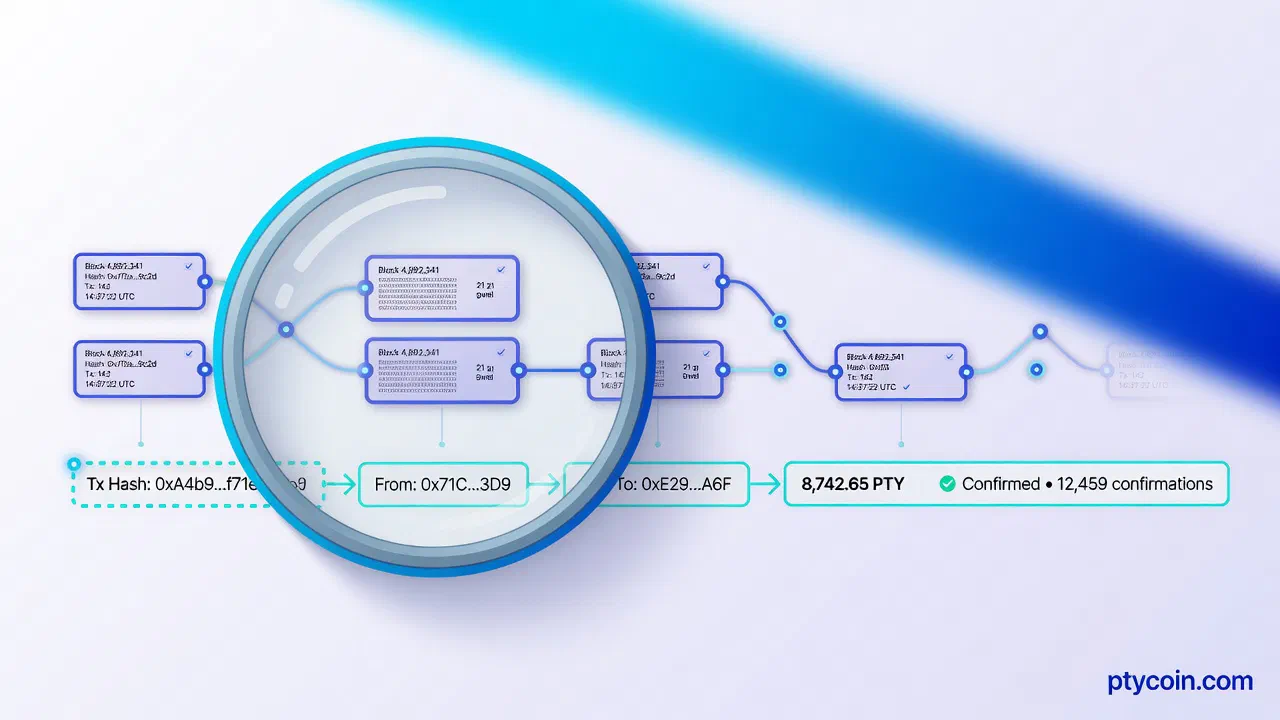
A visual: what you are looking at
Figure: The verification loop — txid in, status and confirmations checked, then match address and amount against what you expected.
Red flags and common mistakes
- Wrong explorer for the chain. An Ethereum hash on a Bitcoin explorer returns nothing — that does not mean the payment failed.
- Token vs. native coin confusion. On EVM chains, always read the Tokens Transferred row for ERC-20 sends, not only the outer To field.
- Address substring matching. Malware can make two addresses look similar at the start and end. Compare the full address on the explorer to your records.
- Fake explorer sites. Phishing domains mimic Etherscan or Tronscan to capture wallet connects. Bookmark the real URLs; never approve wallet connections on an explorer unless you understand why.
- “Confirmed” on the wrong network. USDT sent on Ethereum when you gave a Tron address will show as confirmed on Etherscan — but not in your Tron wallet. Network choice happens before broadcast; the explorer only shows what actually occurred.
Why this matters in everyday LatAm use
P2P trades, family remittances, and freelance invoices often settle outside traditional banking hours. The sender may say “ya te transferí” on WhatsApp before your wallet syncs. The explorer settles the question in seconds: either the txid exists with enough confirmations and the right amount, or it does not.
In countries where exchange support tickets are slow or only available in English, being able to self-verify on-chain removes a layer of dependency. You can send the txid link to the other party as neutral proof — both sides read the same public record.
For users who document holdings for tax or compliance (Brazil’s DeCripto reporting is one example), explorer screenshots and txid logs are often the cleanest evidence of a transfer’s date and amount. Keep your own records; explorers do not store your personal labels.
Mobile data costs still bite in parts of the region. Explorer pages are lightweight — a txid lookup uses far less bandwidth than refreshing a heavy exchange app.
Quick reference checklist
Use this every time you need certainty:
- Get the full txid from the sender’s wallet (or your own after sending).
- Open the correct explorer for the chain you agreed on.
- Confirm status is successful / confirmed.
- Count confirmations against the amount and your risk tolerance.
- Match recipient address to yours (full string, not just first/last characters).
- Match amount including token type and decimals.
- Save the txid in your records before you consider the deal closed.
The bottom line
Block explorers turn “trust me” into “verify yourself.” They are free, public, and chain-specific — and learning to read them is as basic a self-custody skill as copying an address carefully.
You do not need to understand every technical field on the page. Status, confirmations, recipient, and amount are enough for most real-world checks.
Bookmark mempool.space, etherscan.io, and tronscan.org for the chains you actually use. Paste txids yourself. Compare addresses in full. Wait for the confirmation count you are comfortable with.
That habit keeps you in control — whether you are receiving a remittance from abroad, paying a freelancer in stablecoins, or confirming that your first test send off an exchange landed safely.
Your keys. Your coins. Your receipt — on the public ledger anyone can read.