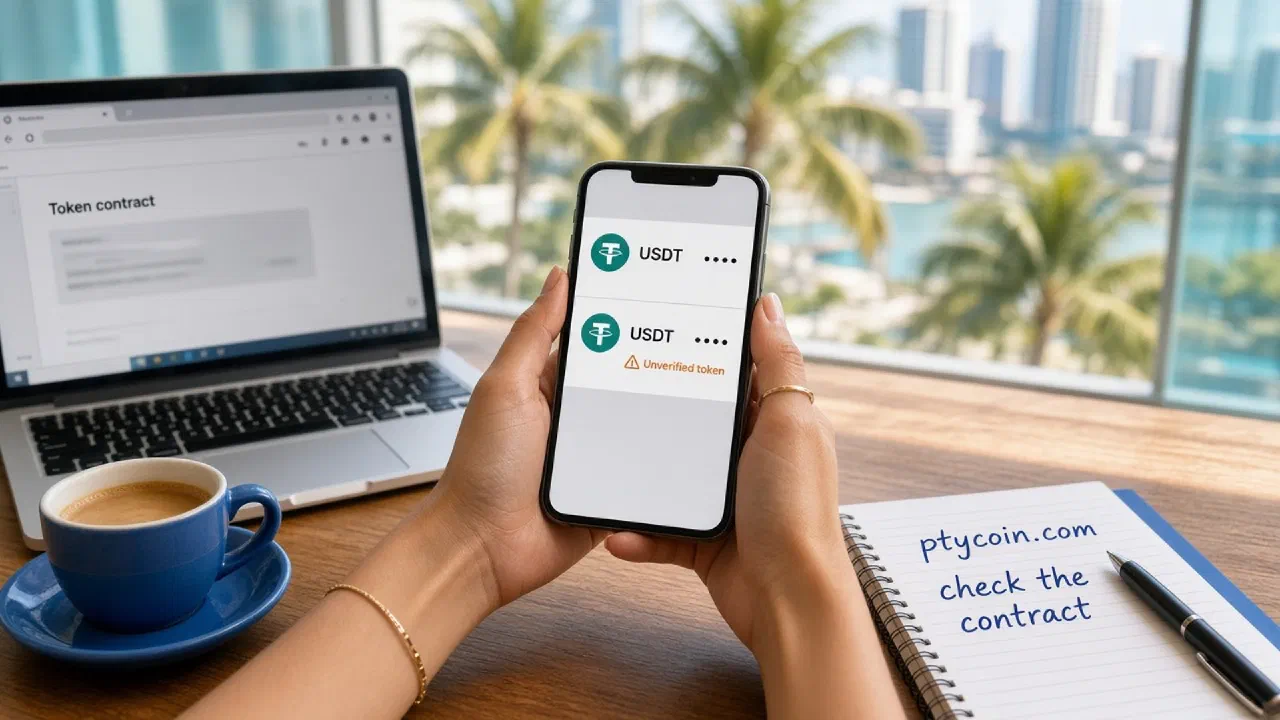
A second USDT row showed up after a transfer you already finished. Same teal T. Same ticker. You did not buy it.
Nothing in this guide is financial advice. Before you sign anything next to that row, read its contract yourself.
What does a fake same-name USDT look like?
On most chains, a token is a contract. Anyone can deploy one, name it Tether USD, set the ticker to USDT, and attach a copy of the logo. Your wallet watches incoming transfers and paints a new line in the asset list. You never tapped Import.
The fake and the real sit next to each other. Both say USDT. Both show a dollar-ish balance. The difference lives in the contract address, the long string that identifies that token on that chain.
You will often see:
- A balance you never purchased or asked anyone to send
- A huge number, or a dust amount next to a “swap” or “claim” hint
- A contract that does not match Tether’s supported protocols page
- On the explorer, a contract marked unverified, or verified under a deployer that is not Tether
- A website field, a Telegram handle, or an explorer error that points you to a “recovery” page
A close cousin of this bait is address poisoning: a tiny transfer whose job is to land in your history. Sometimes the payload is a fake token that borrows the name. The habit here is the same, aimed at the token instead of the recipient address.
People who move USDT on Tron for a family transfer or a P2P desk see this often, because cheap transfers make the airdrop almost free to send.
How do you check the contract on Tether’s list?
Work in this order. Stay on the network you already use.
- Open the token in the wallet and copy its contract address. If the wallet only shows a truncated string, open the same token on a block explorer for that network and copy the full contract from there.
- Write down the network in full: USDT on Tron (TRC-20), USDT on Ethereum, USDT on Solana. A ticker without a chain leaves the check unfinished. How to pick the right network for USDT and USDC covers that choice.
- Open Tether’s Supported Protocols and Integration Guidelines. That page is the issuer’s list. Skip third-party token lists and “add to wallet” buttons on sites you did not type yourself.
- Find the USD₮ line for that same network. Compare every character of the contract to the address in your wallet.
These are the USD₮ contracts Tether publishes on that page for the rails readers use most. Copied from the official links:
| Network | USD₮ contract on Tether’s page |
|---|---|
| Ethereum | 0xdac17f958d2ee523a2206206994597c13d831ec7 |
| Tron | TR7NHqjeKQxGTCi8q8ZY4pL8otSzgjLj6t |
| Solana | Es9vMFrzaCERmJfrF4H2FYD4KCoNkY11McCe8BenwNYB |
| Avalanche | 0x9702230a8ea53601f5cd2dc00fdbc13d4df4a8c7 |
Tether also lists USD₮ on other protocols on the same page, including Celo, Kaia, TON, Aptos, Liquid, Tezos, Near and Polkadot AssetHub. If you hold USDT on one of those, take the address from that page, not from a screenshot in a chat.
On Ethereum-style chains, wallets sometimes display mixed-case checksum encoding. Tether’s Ethereum link is lowercase. The letters and numbers still have to match. Case alone does not make a different token. On Tron and Solana, case is part of the address. Change one character and you have a different token.
If the strings differ, the row in your wallet is not Tether’s USDT. Stop there.
How does the same check work for USDC?
Circle publishes its own contract list at USDC contract addresses, and a product page at multi-chain USDC. The method is identical: same network, then the issuer’s address, character by character.
Circle’s Ethereum USDC is 0xA0b86991c6218b36c1d19D4a2e9Eb0cE3606eB48. Circle’s Solana USDC is EPjFWdd5AufqSSqeM2qN1xzybapC8G4wEGGkZwyTDt1v. Circle’s table does not list Tron. A “USDC” that appears on Tron is not an address you can confirm on that Circle page.
USDT and USDC are different issuers and different contracts even when both aim at one dollar. Matching a USDT row against Circle’s list, or a USDC row against Tether’s, answers the wrong question.
Why should you leave the fake sitting there?
The airdrop is bait. The drain happens when you try to get rid of it.
Sites that offer to “convert” or “sell” a surprise USDT ask you to connect the wallet and sign an approval. That approval can let the spender pull the real USDT or USDC you already hold. Token approval checker: how to check and revoke token permissions is the guide for leftover allowances. Do not create a new one for a token you did not ask for.
MetaMask’s token guidance says to treat an airdropped or unfamiliar token as something you research before you touch, and not to follow a failed-transaction error that points you to a website. That error text is often written by the scammer.
Do not:
- Open the token’s “website” from the wallet or the explorer
- Approve a spender so you can swap the fake
- Connect the wallet to a site that arrived with the airdrop
- Send the fake to an exchange “to cash it out”
Hide it instead. Hiding only removes the row from your asset list. MetaMask’s hide steps are: open the token, tap the three dots, tap Hide. On mobile, tap and hold. Manage tokens also has a toggle next to each asset. Hiding does not move funds on-chain and does not revoke an approval. Native gas coins such as ETH cannot be hidden.
Other wallets use a similar Hide, Don’t show, or Manage tokens control. The on-chain balance stays. You are refusing the bait. The address can keep the dust.
How do you add the real USDT by contract address?
Add a token only when the official contract is missing from the list and you already know you hold it, or when you want the wallet to pin Tether’s contract so a lookalike cannot sit in its place.
- Switch the wallet to the network where you actually hold USDT.
- Copy the USD₮ contract from Tether’s supported protocols page for that network. Do not copy an address from a chat, a tweet, or the fake row.
- In MetaMask, open Manage tokens, then Add custom token. Paste the contract. Confirm the name and ticker the wallet fills in. Tap Next, then Import. MetaMask documents this under how to display tokens.
- Confirm the imported contract still matches Tether’s page, character by character.
Do not search “USDT” and tap the first result. Search returns every clone that used the same ticker.
If the real USDT already shows the official contract, you can leave it. Importing again is optional.
Checklist before you treat a USDT row as real
- I copied the full contract from the wallet or the explorer, not a truncated preview
- The network I named matches the explorer I opened
- The contract matches Tether’s page for that network, every character
- I did not approve, swap, or visit a site that arrived with the token
- If the contract differs, I hid the row and left it alone