Tron showed a much smaller fee than Ethereum on the withdrawal screen, so you left Tron selected. The deposit page you were paying had Ethereum in the network field.
You can still move the tokens when you or the recipient can sign for that destination on the network the withdrawal used. An exchange deposit stays there unless that company signs, and Coinbase says it cannot recover a wrong-network send.
Reading this does not oblige any exchange or wallet to credit you, and it is not financial advice.
What is a wrong-network USDT send?
USDT is the same ticker on more than one chain. Tether’s supported protocols page says one Tether token on chain X equals one on chain Y, and it asks apps to name the protocols they support. Signing on Tron updates Tron. Ethereum keeps its own balances.
Both screens can say USDT. The field that differed is the network: Tron (TRC-20), Ethereum (ERC-20), BNB Smart Chain (BEP-20), Solana, or another option in the app. Run the network checklist before the next send.
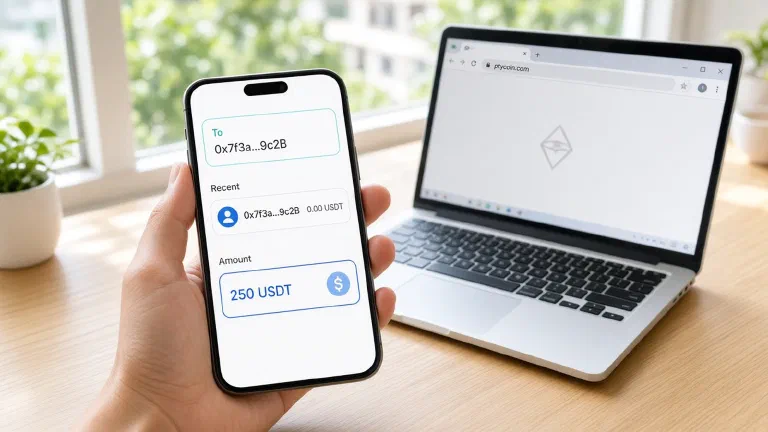
A Tron address starts with T. An Ethereum address starts with 0x. A Solana address is another string. A wallet that checks the format refuses to send Tron USDT to a 0x address. The payment that broadcasts is the one where both networks accept the same shape. Ethereum, BNB Smart Chain, Polygon, Arbitrum, Optimism, and Avalanche all use 0x addresses. Matching the opening and closing characters still leaves the payment on the chain you selected in the dropdown.
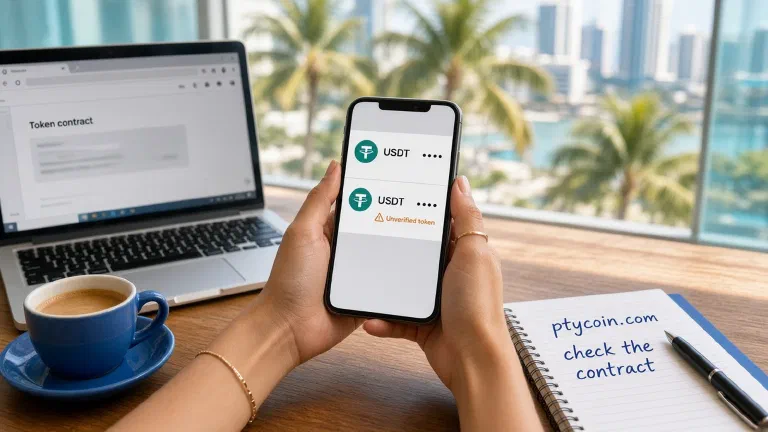
On Tether’s page, USD₮ on Ethereum is 0xdac17f958d2ee523a2206206994597c13d831ec7 and USD₮ on Tron is TR7NHqjeKQxGTCi8q8ZY4pL8otSzgjLj6t. The BNB Smart Chain section lists an XAU₮ contract and no USD₮ contract. A row named USDT there can belong to another issuer. Match the contract from the successful transaction to the issuer’s list, with the fake-USDT check. Mixed-case letters on Ethereum can be the same contract. On Tron, one changed character is a different address.
A neobank or an exchange cash-out can list Ethereum under the same ticker. Pick the lower fee when both screens show that same network name.
How do you confirm it on a block explorer?
Start in the app that sent.
- Open Activity. Pending means you can still wait, speed the transfer up, or cancel it. MetaMask explains that in I sent crypto to the wrong place. Success means the tokens reached the destination address on that network.
- Copy the transaction hash. Open the explorer for the network on the withdrawal: Etherscan, Tronscan, BscScan, or a Solana explorer. Reading a block explorer covers the fields.
- Read the status, the token contract, the To address, and the amount. Match To to the address you pasted.
- If the hash is missing, you opened the explorer for a different chain. Use the network printed on the receipt.
The receiving app can look empty while that page is right. Some wallets hide a token until you import it. An exchange credits a deposit only on networks it watches.
When is the send usually gone?
Success on the explorer is delivery to that address. The wallet cannot undo that row. MetaMask says it will never contact you or ask for your Secret Recovery Phrase, the twelve or twenty-four words. Close any message that asks for those words.
Treat the balance as out of reach when:
- You cannot sign, and the person who holds the keys will not. That is the usual exchange deposit.
- The tokens went to a smart contract with no function that returns them. MetaMask says recovery is not guaranteed. Ask only through a contact the project publishes.
- The network does not use Ethereum’s address rules. MetaMask calls these non-EVM and says the tokens are likely gone, because the recovery phrase does not rebuild the same address there. Do not type the phrase into a site to test it.
Many wrong-network sends to a deposit address you do not control stay where they landed.
What do you hand an exchange?
If To on the explorer is the deposit address the exchange gave you, open a ticket only inside that company’s app or site. Include the hash, the asset, the amount, the address, the network you used, and the network the deposit page asked for. Then follow the limit on their page.
Coinbase’s troubleshooting says, “Coinbase can’t recover funds sent on the wrong network.” The multiple-networks page and the automatic return page say “Coinbase does not have the ability to recover funds” sent or received on an incorrect network. Automatic credit on that second page is a short historical list: ETH, MATIC, or USDC previously sent on Polygon, and DAI, ETH, or WBTC previously sent on Optimism, from before those networks were supported. USDT is absent. Unsupported-asset recovery covers certain other assets, and sending on the wrong network may affect whether you qualify.
Kraken does not credit a deposit on the wrong network. Its recovery page, updated 21 September 2026, says not every misrouted deposit can be recovered. Support asks for the transaction ID, the asset, the amount, the deposit address, and the date and time. Fees follow the mistake type, are quoted before Kraken proceeds, and can change. Match your deposit to a row on that table. Some cases stay stuck because of the chain.
A missing destination tag or memo is a different break. The network can be the right one and the exchange still cannot tell which account to credit. Destination tags and memos covers that case. The hash separates the two mistakes. Someone outside the exchange who offers a paid retrieval does not have that company’s keys.
When can you still reach the tokens?
The recovery phrase builds the same address on EVM-compatible networks, the ones that share Ethereum’s address rules. MetaMask names Polygon, Arbitrum, Optimism, Avalanche, and others. Sent to a person who holds that phrase, on the wrong one of those networks, the tokens sit at the same 0x address on the network you actually used. That person switches the wallet there.
Stay in the wallet app you already use. Do not import the phrase into an app a stranger named after the transfer.
- Read the network on the confirmed row. Add it from MetaMask’s list or the chain’s own docs. Skip an RPC URL that arrived in a chat.
- Switch to that network. The account should match the destination on the explorer.
- If the token is hidden, import it: Tokens, Add custom token, the contract from the transaction, Next, Import. MetaMask lists those steps in how to display tokens. Compare the contract with the issuer. If Tether lists no USD₮ on that chain, check the issuer that deployed the token you received.
- A later send needs that network’s own coin: ETH on Ethereum, TRX on Tron, BNB on BNB Smart Chain. Gas for stablecoin transfers is the longer note. With no native coin in the account, the USDT balance can show and still sit there.
Seeing the tokens lets you sign a new transfer out of the chain that already confirmed them.
When does a bridge come into it?
Find the chain and the hash first. The network guide says a bridge adds another contract on top of a transfer that already landed. MetaMask says that once the tokens are visible, the key holder can bridge them to the network they wanted.
Bridge from a wallet you control, on a route you already meant to use, between two networks you can name. Skip a bridge link that showed up in chat after the mistake. Hold any amount you have not sent until you know where the first transfer went. Paying again on the network you meant can charge you twice.
How do you keep the next USDT send on one rail?
- Read the network on the receiver’s screen before you copy the address. Pick the network with both apps open.
- If you are sharing an address, create it on the network you named. Receiving safely is that handoff.
- Send a small amount. Wait until the other person sees it on their explorer. Then send the rest. Sending from self-custody is that pause.
- On an exchange deposit, copy the address after the network picker matches. A QR code holds an address, so say the network in the same message.
- Keep a little of the native coin on any network where a USDT balance might have to leave.
Checklist when the USDT looks missing
- I read the network on the sending app’s confirmed row
- I found the hash on the explorer for that network
- The status is successful, and the To address is the one I pasted
- I know whether I can sign for that address
- If I can, I switched to that network in the wallet I already use and imported the contract from the transaction
- If an exchange holds it, I used only that exchange’s help page or in-app ticket, and I stopped where they say they cannot credit it
- I did not type the recovery phrase into a chat, a form, or a site offering to reverse the transfer
Save the transaction hash from the sending app before you close it. Explorers and in-app support forms ask for that string.